The Mac Screen Recorder Built for Teachers & Educators
Great teaching deserves great recordings. Mac Screen Recorder helps educators capture lessons, software tutorials, and feedback your students can rewatch any time — with your webcam, smart zoom, and mouse highlights that guide attention to exactly the right spot. No editing skills required.
Built for the way teachers actually work
Students learn at different speeds
In a live class, you can only explain it once. Recorded lessons let every student pause, rewind, and rewatch until it clicks — without you repeating yourself ten times.
On-screen steps are hard to follow
When you demo software, students lose track of where to look. Auto Zoom and mouse highlights focus their attention on the exact button, menu, or line you mean.
You are an educator, not a video editor
You do not have time to learn editing software. Record, stop, and upload — the polish is built in, so your lessons look professional with zero post-production.
What you can create
Recorded lectures & flipped classrooms
Add your webcam so students see a friendly face, then record your slides or screen. Smooth Auto Zoom keeps the focus on your material while you teach.
Step-by-step software tutorials
Teaching a tool, app, or coding concept? Mouse trails and click highlights make every step crystal clear, so students can follow along on their own machines.
Feedback & LMS-ready uploads
Record personalized feedback on a student’s work, then export a standard MP4 that uploads cleanly to Google Classroom, Canvas, Moodle, or YouTube.
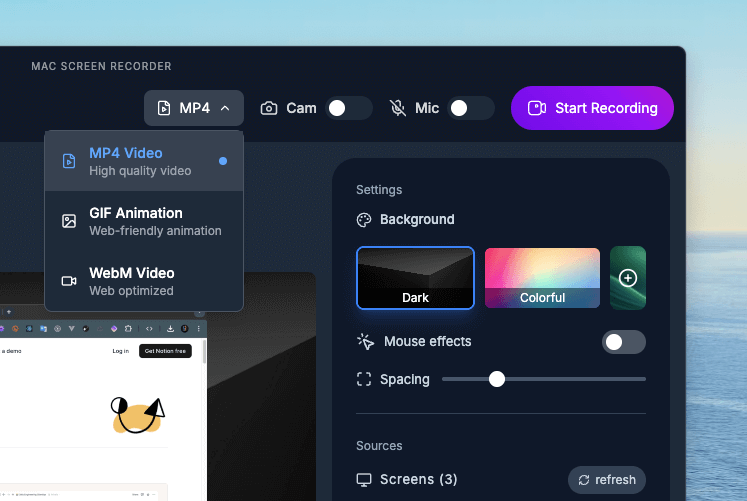
Why teachers choose Mac Screen Recorder
Webcam for a personal touch
Picture-in-picture webcam keeps lessons warm and human, not faceless.
Auto Zoom guides attention
Focuses students on the exact part of the screen that matters.
LMS-friendly MP4 export
Standard MP4 uploads cleanly to Classroom, Canvas, Moodle, and YouTube.
No time limits
Record a 5-minute concept or a full 90-minute lecture without restrictions.
Loved by teachers

"Recording tutorials has never been easier. Clean visuals, mouse tracking, and no learning curve, it's perfect for my lessons."

"Mac Screen Recorder must be the best recorder I have ever used, I use it daily for my content and explainers, love it!"
Teachers — FAQ
Can I record my webcam and screen at the same time?
Yes. Picture-in-picture webcam recording lets students see you alongside your lesson content, which keeps remote learning more personal and engaging.
Can I upload recordings to my LMS or Google Classroom?
Yes. Recordings export as standard MP4 files that upload cleanly to Google Classroom, Canvas, Moodle, YouTube, and other learning platforms.
Is there a limit on lesson length?
No. There are no time limits, so you can record a short concept explainer or a full-length lecture with no interruptions.
Do I need editing experience to make polished lessons?
No. Auto Zoom, mouse highlights, and a clean recording UI give your lessons a professional look automatically — no editing software or experience required.