The Mac Screen Recorder Built for Developers
Some things are impossible to explain in a paragraph. Mac Screen Recorder lets you capture a bug repro, code walkthrough, or async demo in seconds — with pixel-precise mouse tracking so reviewers see exactly what you did. Drop a GIF into a PR, ticket, or Slack thread and skip the wall of text.
Built for the way developers actually work
Bug reports get lost in translation
"It breaks sometimes" turns into a 20-message thread. A 15-second recording with visible clicks shows the exact steps to reproduce — no back-and-forth, no guessing.
Async teams miss context
Time zones make live walkthroughs painful. Record a PR review or feature demo once and let teammates watch it whenever they come online, with every click clearly highlighted.
Heavy tools slow your machine
You do not want a bloated recorder fighting your IDE and simulator for resources. This one is lightweight, native, and tuned for Apple Silicon — it stays out of the way while you work.
What you can create
Reproducible bug reports
Record the exact steps that trigger a bug, with click effects pinpointing every interaction, then export a small GIF straight into GitHub, Jira, or Linear. QA and teammates reproduce it on the first try.
PR & code-review walkthroughs
Talk through your changes once on camera instead of typing long PR descriptions. Auto Zoom follows your cursor across the diff so reviewers always see the relevant lines.
Clean demos with a minimal UI
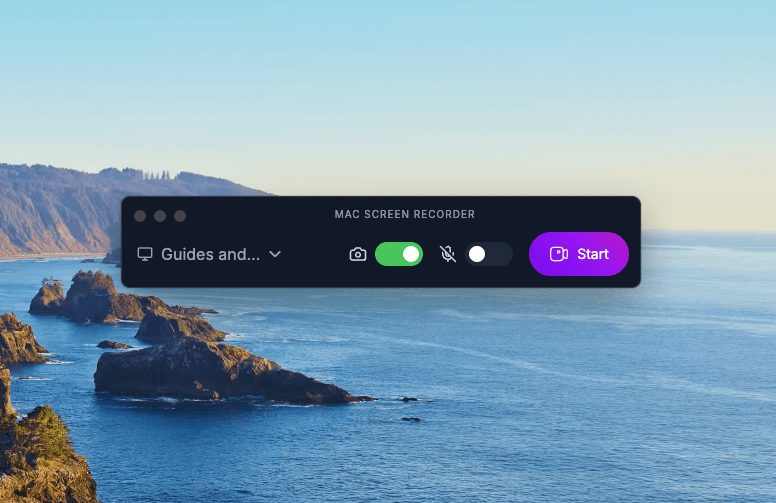
The recorder shrinks to a tiny floating indicator while you capture your IDE, terminal, or app — so your recordings show your work, not the recording tool.
Why developers choose Mac Screen Recorder
Pixel-precise click effects
Every click and keypress is visually flagged, so reproduction steps are unambiguous.
GIFs for issue trackers
Lightweight GIF export drops cleanly into GitHub, Jira, Linear, and Slack.
Minimal, out-of-the-way UI
Collapses to a floating bubble so it never clutters your IDE or demo.
Native Apple Silicon performance
Built for M-series Macs — smooth capture without hogging CPU.
Loved by developers

"Debugging and documenting workflows is so much faster now. I record a quick video, highlight the issue, and share it with the team instantly."

"The export options are top-notch. Whether I'm sharing code flows or onboarding demos, it just works with no lag, no mess."

"I use it for everything like client walkthroughs, bug reports, even app store preview videos. Lightweight and reliable."

"Creating support videos used to be painful. Now it takes minutes and the results look great, even in GIF form."
Developers — FAQ
Can I attach recordings to GitHub, Jira, or Slack?
Yes. Export as a compact GIF or MP4 and drag it straight into a GitHub issue, Jira/Linear ticket, or Slack message — no external hosting needed.
Does it run well on Apple Silicon?
Mac Screen Recorder is a native app built for Apple Silicon (M1 and later) on macOS 12 Monterey or newer, so capture stays smooth even while your IDE and simulator are running.
Can I record long debugging sessions?
Yes. There are no time limits, so you can capture a quick repro or a long debugging session without interruption.
Will the recorder UI show up in my recording?
When you record your full screen, anything visible on it is captured. To keep the recorder out of the way you can collapse it to a tiny floating indicator, or simply record a specific window instead — then the recorder UI never appears in your capture at all.